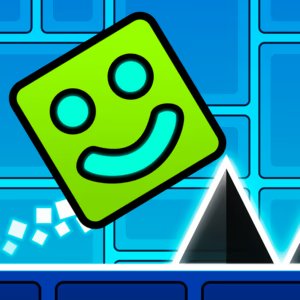
Hyper Cube Challenge
 Gravity Run
 Slide Down
 Slope Rider City
 Challenge Rush
 Roller Baller
 Tap Road
 Geometry Dash Lite Old Version
 Geometry Dash 3D
 Space Waves
 Subway Surfers
 Geometry Dash Subzero
 Geometry Dash Grief
 Geometry Dash Bloodbath
 Geometry Dash Spam
 Geometry Dash World
 Geometry Dash Wave
 Geometry Dash Wave Challenge
 Geometry Arrow
 Geometry Dash Sonic Wave
 Geometry Vibes
 Geometry Dash Breeze
 Geometry Dash Nine Circles
 Geometry Dash Tidal Wave
 Geometry Dash Meltdown
 Geometry Dash Press Start
 Geometry Dash Demons
 Geometry Dash Retray
 Geometry Dash Extrapolation
 Geometry Dash Suponho
 Geometry Dash Polargeist
 Slope 3
 Geometry Dash Onward
 Geometry Dash Wave 3d
 Geometry Vibes 3d
 Geometry Dash Spam 3D
 Another Drink Dash
 Geometry Dash Deadlocked
 Geometry Dash Slow
 Geometry Dash Daily Level Dream World
 Geometry Dash Switch
 Geometry Dash Hairless Adventure
 On On Dash
 No Broke Dash
 Neon Challenge Legends
 Geometry Dash Hyper Wave
 Geometry Vibes Monster
 Gaminia
 Geometry Dash Subzero 3D
 Geometry Arrow 3D
 Infrunami
 Geometry Dash Meltdown 3d
 Victory Lap Dash
 Two Tunnel 3d
 Geometry Dash Breeze 3D
 Wave God 2.2 Challenge
 I Just Might Dash
 Geometry Ball: Challenge
 Geometry Dash Scratch
 Run 3
 Dinosaur Game 3d
 Wave Race
 Shape Rush
Hyper Cube Challenge and the Nonstop Race
Hyper Cube Challenge takes players on an obstacle course adventure featuring a cube that constantly moves forward. As soon as a level begins, the character automatically speeds along the track, leaving players unable to control its movement speed or make it stop. Their attention must stay focused on reading the terrain and choosing the right moment to jump over the dangers ahead.
The standout feature of the gameplay is its nonstop pace, where every decision can directly affect the outcome of a level. Jumping too early may cause the cube to land right before the next obstacle, while reacting too late can lead to an unexpected collision. As players progress through the levels, they face more consecutive challenges that require quick observation and constant focus throughout the run.
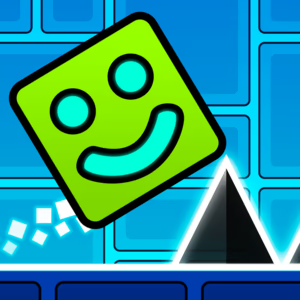
Figure 1. A cube adventure full of surprises
Sound and Rhythm in Hyper Cube Challenge
Music helps create an energetic atmosphere in Hyper Cube Challenge while maintaining a sense of constant movement throughout each level. As the cube automatically moves forward, fast-paced tunes combine with obstacles appearing along the track to create a rhythm platformer experience. This combination makes each run more engaging, especially when players need to perform multiple actions within a short period.
However, music is not the only factor that determines when to jump. Players still need to watch the positions of spikes, blocks and gaps along the track to choose the right action. Following the rhythm can help maintain focus, but reading the terrain and reacting to actual obstacles are what really matter when completing a level.
One Button Controls in Hyper Cube Challenge
Hyper Cube Challenge features a simple control system centered around jumping, making it easy for players to pick up from the very beginning.
Time Your Jumps Right
Timing is essential when guiding the cube over obstacles without crashing. When players spot a spike or block ahead, they need to estimate the remaining distance and jump early enough for the character to clear it. Jumping too soon may cause the cube to land before reaching the obstacle, while jumping too late leaves very little room to react.
When Should You Hold the Jump Button?
Along with the usual press-and-release action, Hyper Cube Challenge allows players to hold the control button to perform consecutive jumps. This technique works well in sections where several obstacles appear close together and a single jump may not be enough to clear the entire sequence.
Still, holding the button is not the best choice in every situation. Players need to understand the layout of the track to avoid triggering unnecessary jumps when approaching dangerous sections. Switching between quick taps and holding the button helps make character control more precise.
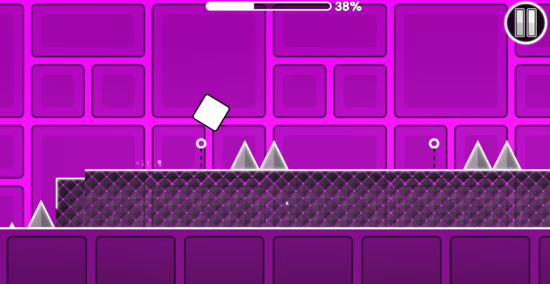
Figure 2. Quick moves, sharp reflexes, endless excitement
Get Comfortable with PC and Mobile Controls
The game supports different control methods to match each player's preferred device.
- On PC, players can press the left mouse button or Spacebar to jump.
- On phones and tablets, they can tap or hold the screen directly.
Read the Terrain and Handle Obstacles in Hyper Cube Challenge
The challenges along the track test more than just reflexes. Players also need to recognize the characteristics of different obstacles. Rather than waiting until a hazard appears right in front of the cube, looking ahead gives them more time to choose the right response.
Jump Over Spikes
Spikes are among the most common obstacles players encounter in Hyper Cube Challenge. They appear on the track, either on their own or alongside other hazards, making precise jump timing an essential skill. Players should watch the distance between the cube and each spike to time their jumps properly, avoiding both direct collisions and unsafe landings.
Handle Blocks and Gaps
Not every obstacle can be cleared with the same jumping technique. Blocks of different heights require players to calculate when to jump so the character can clear their upper surfaces, while gaps in the track call for jumps that cover enough distance to land safely. Without checking the terrain beyond an obstacle, players may clear the first hazard only to crash into the next section.
React to Obstacle Sequences
When several obstacles appear in a row, players need to shift from handling each one individually to observing the entire sequence ahead. A jump may help the cube clear the first spike but leave it in a bad position for the next block. That's why judging the distance between obstacles and predicting the landing point are just as important as pressing the jump button.
Use Practice Mode to Overcome Hyper Cube Challenge
Practice Mode offers a more flexible way to tackle levels with complicated layouts in Hyper Cube Challenge. Instead of restarting from the beginning after every failure, players can place checkpoints to save their practice positions and focus on improving their skills in sections where collisions happen frequently.
On PC, the Q key places a checkpoint, while the E key removes the most recent one. This system gives players more control over their practice sessions, allowing them to choose specific sections to work on without repeating the entire level multiple times.
Practice Mode is especially useful for testing different jump timings when facing difficult obstacle sequences. Players can switch between tapping and holding the button, observe the results after each attempt and adjust their actions to match the terrain. Once they master the more complicated sections, returning to the regular game mode becomes easier because they have gained the experience needed to complete the level in one smooth run.
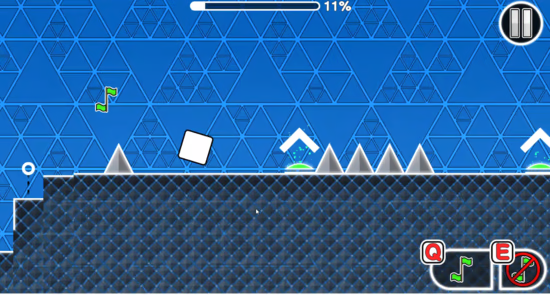
Figure 3. Dodge obstacles and keep moving forward
Collect Coins and Unlock 57 Cube Skins
Alongside the goal of clearing obstacles, Hyper Cube Challenge features a Coins system that gives players another reason to explore each level. Coins appear along the track as optional collectibles that players can pick up while moving forward. However, reaching them may require more precise jumps, especially when they are placed near dangerous obstacles.
Coins add another objective to each level beyond simply reaching the finish line. Players can focus on completing a level during their first few attempts, then return to improve their collection results once they become familiar with the terrain. This approach makes exploration feel less limited to a single run.
Another highlight is the collection of 57 Cube Skins, which lets players change the appearance of their cube character. These different looks add a personal touch, giving players the freedom to choose a style instead of sticking with the same appearance throughout the game. The skin collection also adds another goal to the experience, as exploring levels and discovering how to unlock new looks become part of the overall challenge.
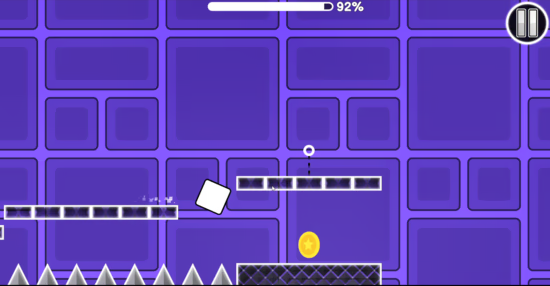
Figure 4. Collect gold coins along the way
Who Should Play Hyper Cube Challenge?
With simple controls that still demand precision, Hyper Cube Challenge is aimed at fans of arcade games and fast-paced platformers. It's a good fit for players who want to test their reflexes through nonstop obstacle courses, while offering an accessible experience on both computers and mobile devices.
Fans of one-button controls can also find plenty to enjoy in the gameplay, as every action may be simple but still needs to happen at the right moment. Players who enjoy taking on increasingly difficult levels have even more reasons to keep going, with 20 stages, Practice Mode and collectibles to discover.
Those who have played Geometry Dash may recognize familiar elements in the automatically moving cube and the task of jumping over obstacles. However, Hyper Cube Challenge has its own features, including checkpoint-based practice and a collection of skins, giving players more goals to pursue beyond simply completing each level.
Conclusion
Hyper Cube Challenge delivers a platforming experience built around precise jump timing, terrain awareness and quick reactions to consecutive obstacles. With 20 levels, Practice Mode, Coins and 57 Cube Skins, the game offers plenty of goals to explore beyond simply reaching the finish line.
If you enjoy obstacle courses starring cube-shaped characters, you can also check out more games in the Geometry Dash series. Each version brings its own levels, challenges and mechanics, offering even more exciting ways to take on unpredictable courses.