Geometry Dash Wave 3D: From a Simple Zigzag to a 3D Challenge
The Wave mechanic is one of the defining features of the Geometry Dash series. Unlike the Cube, which can jump over obstacles, the Wave moves diagonally when players press or release the control button.
The appeal of this mechanic comes from the contrast between its simple controls and its actual difficulty. Holding the button for too long or releasing it at the wrong moment can send the Wave crashing into spikes or walls. Players must react quickly, time their movements precisely, and maintain control throughout each run.
Building on this familiar mechanic, Geometry Dash Wave 3D introduces a new approach by bringing the zigzag experience into a three-dimensional environment. Instead of focusing solely on flat tracks, the game uses a sense of depth to create a different experience as players navigate obstacles. The goal remains the same: maintain control of the Wave while the 3D environment gives this familiar challenge a fresh look.
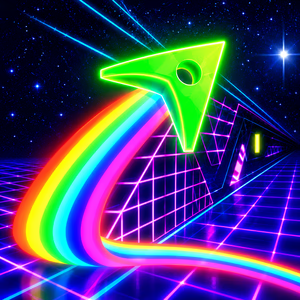
Figure 1. Explore Geometry Dash Wave 3D
Why Does Geometry Dash Wave 3D Use a Neon Style?
Neon visuals play an important role in defining the look of Geometry Dash Wave 3D. Glowing outlines, geometric shapes, and brightly colored obstacles create a modern atmosphere reminiscent of a digital world.
Combining contrasting colors with dark backgrounds makes track elements easier to recognize. Glowing edges also highlight narrow passages, helping players identify where to move as the Wave changes direction. These visual cues are useful in a game that demands quick reactions and precise movements.
Beyond their visual appeal, neon effects also enhance the sense of speed. As the Wave glides through geometric corridors and successive obstacles, glowing lights and spatial depth create a fast-paced arcade experience. This allows the game to combine simple mechanics with a striking visual style.
Unique Features in Geometry Dash Wave 3D
3D Perspective
One of the most noticeable differences in Geometry Dash Wave 3D is how the track is presented in three-dimensional space. Walls, obstacles, and geometric structures have added depth, making the environment feel more expansive than traditional 2D layouts.
This perspective offers a fresh visual experience as players guide the Wave through gaps and narrow passages. However, the visual effects also require concentration to keep the path in focus. Looking ahead and adjusting movements at the right moment remain essential.
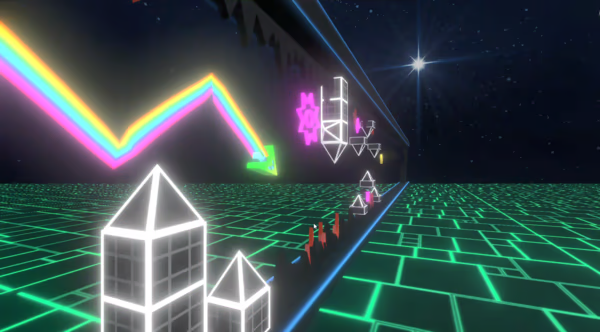
Figure 2. 3D Perspective
Collect Coins
Coins add a secondary objective to completing each run. Instead of focusing solely on reaching the finish, players can also look for coins placed along the track.
Some coin locations may require more precise movements or a different approach than the usual route. This encourages players to revisit completed sections and improve their skills. However, chasing coins without understanding the surrounding obstacles can lead to a collision and force players to start over.
Leaderboard
A leaderboard can give players extra motivation to keep trying after each run. Rather than focusing only on reaching the end, players can aim to improve their results and compare their performance with others.
Competition encourages players to refine their timing, reduce mistakes, and maintain consistent performance across multiple attempts. Every run becomes an opportunity to improve and pursue a higher goal.
Geometry Dash Wave 3D Gameplay
Geometry Dash Wave 3D focuses on guiding the Wave through obstacle-filled tracks. When players hold the control button, the Wave moves diagonally upward. When they release it, the Wave changes direction and moves diagonally downward. Alternating between these two actions creates the signature zigzag movement.
The challenge lies in adjusting how long each input is held to keep the Wave on the right path. Some sections require short, repeated inputs, while others call for longer holds to cover greater distances. Even a slight delay can cause the Wave to crash into spikes or walls.
The 3D environment adds visual depth to the experience, but the main objective remains straightforward: guide the Wave through the obstacles, avoid collisions, and reach the finish.
How to Play Geometry Dash Wave 3D
Controls
Geometry Dash Wave 3D features simple controls, allowing players to focus on when to press and release the button.
- Hold the mouse button or designated control: Move the Wave diagonally upward.
- Release the control: Move the Wave diagonally downward.
Tips for Better Performance
- Look ahead: Watch for upcoming gaps and obstacles instead of focusing only on the Wave's current position. Reacting early gives you more time to adjust your direction.
- Use short inputs in tight sections: Holding the button for too long can send the Wave too high, while releasing it too late can lead to collisions with the floor or spikes.
- Practice difficult sections: If you keep failing at the same spot, focus on learning how to navigate that section before attempting to complete the entire track.
- Prioritize survival before collecting coins: Get familiar with the main route before attempting to collect coins in more challenging locations.
- Stay calm as the speed increases: Pressing and releasing the button repeatedly without watching the track can lead to inaccurate movements. Make deliberate adjustments instead of rushing your reactions.
Video Games