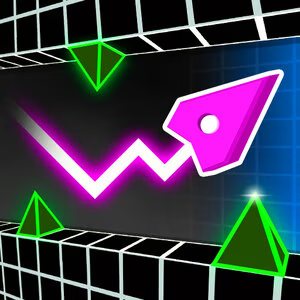
From Geometry Vibes to a 3D Experience
Geometry Vibes 3D brings a fresh perspective to geometric arcade games by taking familiar challenges into a three-dimensional world. The original Geometry Vibes focuses on quick reflexes and precise control, offering easy-to-learn gameplay that becomes more challenging as obstacles appear. Geometry Vibes 3D expands this experience beyond a flat, two-dimensional plane, adding depth and a new way to approach each challenge.
The shift to 3D changes how you see the environment. Instead of focusing only on objects arranged across a flat surface, you also need to judge distances, spot upcoming obstacles, and find the right moment to jump. The track feels more dynamic, making spatial awareness an important part of every challenge.
The goal is to combine accessible arcade gameplay with new challenges. You can quickly learn the basic controls, but mastering your timing and adapting to the 3D environment takes practice. This balance makes Geometry Vibes 3D appealing to both newcomers and experienced arcade fans who enjoy testing their reflexes.
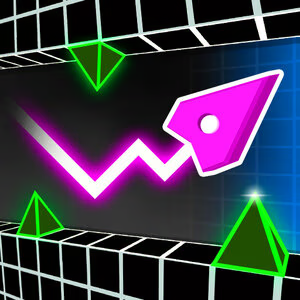
Figure 1. Every jump counts in Geometry Vibes 3D
Geometry Vibes 3D Gameplay
Geometry Vibes 3D revolves around jumping over obstacles, avoiding collisions, and navigating increasingly challenging sections. Every move requires focus, especially when obstacles appear close together or leave only a brief window for a successful jump.
The three-dimensional perspective adds another layer of challenge. Judging the distance to an obstacle can feel different from playing a traditional 2D game, so you need to get familiar with the visual cues. With enough practice, you can estimate distances more accurately and prepare for upcoming moves.
Collecting stars gives you an additional goal beyond completing levels. You can aim to improve your performance and unlock new cosmetic options. These rewards encourage you to replay levels, adjust your timing, and sharpen your skills.
How to Play Geometry Vibes 3D
Getting started is simple. Choose a game mode, watch the track ahead, and time your jumps to avoid obstacles. As the difficulty increases, staying focused and making deliberate moves will help you progress further.
Controls
- W or Spacebar: Jump.
- Left Mouse Button: Jump.
- Up Arrow: Control the second player in supported two-player gameplay.
- Touchscreen: Tap to jump on compatible mobile devices.
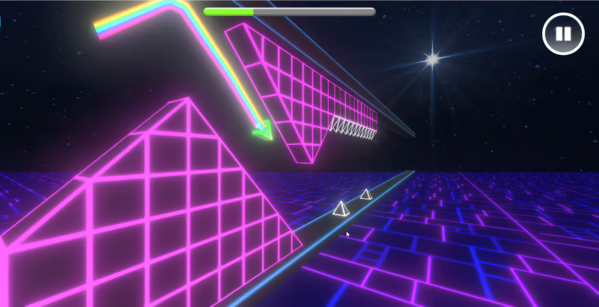
Figure 2. How to Play Geometry Vibes 3D
Tips for Better Results
- Watch the track ahead: Look beyond your current position and prepare for upcoming obstacles.
- Time your jumps: Avoid jumping too early or waiting until an obstacle is too close.
- Start with easier sections: Practice on simpler sections before tackling more challenging obstacles.
- Learn from each failure: Remember where you collided and adjust your timing on the next attempt.
Consistent practice is more effective than rushing through every section. Once you understand the spacing between obstacles, your movements will become more accurate and confident.
Main Game Modes in Geometry Vibes 3D
Normal Mode
Normal Mode is the main challenge for anyone looking to test their reflexes and overcome obstacles in Geometry Vibes 3D. You need to time your jumps precisely, watch the track ahead, and avoid collisions to reach the finish line. When you make a mistake, you must restart the level, so every attempt requires focus and better control.
This mode is ideal for testing your skills and experiencing the challenges the game offers. As you practice, you can learn obstacle patterns, improve your reaction time, and complete levels more consistently.
Practice Mode
Practice Mode lets you get familiar with the track and work on difficult sections without having to restart from the beginning every time. It's useful when you want to study obstacle layouts, experiment with jump timing, and improve your control in the 3D environment.
Instead of focusing on completing the level right away, you can take your time learning each challenge and finding the best way through it. Once you're comfortable with the tougher sections, switch to Normal Mode to test your skills and complete the level.
Geometry Vibes 3D vs. Geometry Vibes
Although both games share a geometric arcade style, they offer different experiences because of how movement and obstacles are presented.
| Feature |
Geometry Vibes |
Geometry Vibes 3D |
| Perspective |
2D environment |
3D environment |
| Main challenge |
Controlling movement across a flat plane |
Timing jumps and judging distances |
| Spatial awareness |
Focuses on positioning along a 2D path |
Adds depth perception |
| Gameplay feel |
Fast-paced, precise geometric action |
Arcade action with jumping challenges in a 3D environment |
| Best suited for |
Fans of precise 2D movement |
Players who enjoy 3D obstacle courses and reflex challenges |
Jump into Geometry Vibes 3D, learn the controls, and test the limits of your reflexes. Master the levels in Normal Mode or sharpen your skills in Practice Mode. Every attempt gives you another chance to improve your timing and overcome the next obstacle.