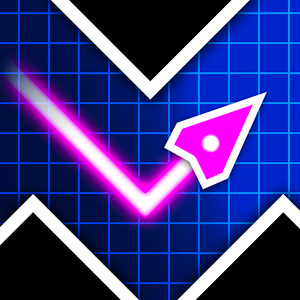
Geometry Vibes
 Geometry Dash Scratch
 Dinosaur Game 3d
 Wave Race
 Geometry Ball: Challenge
 Geometry Dash Hyper Wave
 Two Tunnel 3d
 Geometry Dash Lite Old Version
 Geometry Dash 3D
 Subway Surfers
 Space Waves
 Geometry Dash Subzero
 Geometry Dash Bloodbath
 Geometry Dash Spam
 Geometry Dash Grief
 Geometry Dash Wave
 Geometry Dash World
 Geometry Dash Wave Challenge
 Geometry Arrow
 Geometry Dash Sonic Wave
 Geometry Dash Breeze
 Geometry Dash Tidal Wave
 Geometry Dash Nine Circles
 Geometry Dash Press Start
 Geometry Dash Meltdown
 Geometry Dash Demons
 Geometry Dash Retray
 Geometry Dash Extrapolation
 Geometry Dash Suponho
 Geometry Dash Polargeist
 Geometry Dash Onward
 Another Drink Dash
 Geometry Dash Wave 3d
 Geometry Dash Spam 3D
 Geometry Dash Daily Level Dream World
 Slope 3
 Geometry Dash Deadlocked
 Geometry Dash Switch
 Geometry Dash Hairless Adventure
 Geometry Dash Slow
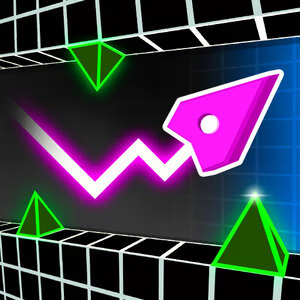 Geometry Vibes 3d
 On On Dash
 No Broke Dash
 Gaminia
 Geometry Arrow 3D
 Geometry Dash Subzero 3D
 Neon Challenge Legends
 Infrunami
 Geometry Vibes Monster
 Geometry Dash Meltdown 3d
 Geometry Dash Breeze 3D
 Victory Lap Dash
 I Just Might Dash
The Idea Behind Geometry Vibes
Geometry Vibes combines fast-paced action with precise movement to create a colorful arcade experience. The game revolves around a simple idea: you control a moving arrow and rely on your reflexes and timing to navigate obstacle-filled paths. Instead of using complicated controls, the gameplay focuses on concentration, observation, and quick decisions.
The geometric theme gives Geometry Vibes its unique identity, from sharp spikes to eye-catching visual effects. Every section requires you to watch for upcoming gaps and adjust your movement at the right moment. Even a small input can determine whether the arrow passes safely through a narrow opening or crashes into an obstacle.
Geometry Vibes is designed to be easy to pick up but hard to master. Beginners can quickly learn the controls, while experienced players can continue testing their reflexes by completing difficult levels, surviving longer runs, or competing against friends. This makes the game a great fit for both quick breaks and longer sessions focused on improving your skills.
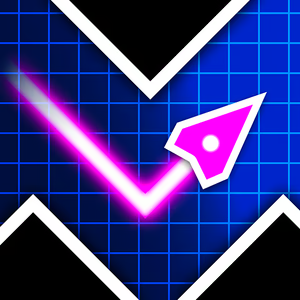
Figure 1. Enter the vibrant world of Geometry Vibes
Turning a Simple Idea Into a Playable Geometry Vibes
Creating an engaging game takes more than placing obstacles along a path. The movement system needs to feel responsive, and each challenge must give you enough time to react while keeping the action intense.
The Arrow Movement Mechanic
The arrow is the heart of Geometry Vibes. It moves forward automatically, while you control its height. Hold the control button to make the arrow rise, then release it to descend. This simple mechanic creates a constant challenge because every press and release directly affects the arrow's position along the path.
The main challenge is maintaining precise control. Holding the button for too long can send the arrow close to the upper edge, while releasing it too early may cause it to hit an obstacle below. Narrow passages and closely spaced hazards require flexible adjustments rather than random button presses.
Once you get used to the movement, you can start watching for upcoming gaps and adjusting your trajectory earlier. Recognizing obstacle patterns is an important skill that helps you play more consistently and travel farther.
The Gameplay Loop: Control, Dodge, and Try Again
Geometry Vibes follows a simple gameplay loop. You move forward, watch for obstacles, adjust the arrow's height, and try to pass through each opening safely. One mistake can end your run, but starting again gives you another chance to learn the path and improve your timing.
This structure keeps the experience focused on the challenge ahead. Instead of managing complicated systems, you can concentrate on your movement and approaching hazards. Each attempt helps you identify dangerous sections, learn how long to hold the button, and react more confidently to unexpected changes.
Creating the Visual Identity of Geometry Vibes
Geometry Vibes uses a simple color palette and geometric shapes to establish its distinctive arcade style. Dark outlines, contrasting backgrounds, and angular obstacles create a dynamic visual environment without distracting from the action.
The arrow needs to remain easy to spot as it moves, while spikes and other hazards must stand out against the background. Strong color contrast helps you recognize danger quickly and choose the right direction.
How to Play Geometry Vibes
Main Objective
Your objective in Geometry Vibes depends on the mode you choose. In Classic Mode, you guide the arrow through a series of levels and reach the finish. Endless Mode challenges you to survive for as long as possible, while Race Mode turns the gameplay into a competition against other players.
Controls
Geometry Vibes features a simple control system that works on both computers and mobile devices.
- Left Mouse Button or Up Arrow: Hold to make the arrow rise.
- Release the Control: Allow the arrow to descend.
- On Mobile: Touch and hold the screen to rise, then release to descend.
Explore the Three Game Modes in Geometry Vibes
Geometry Vibes offers three main modes, each providing a different experience built around the core movement mechanic.
Classic Mode is the level-based mode, featuring 10 levels with increasing difficulty. You must study obstacle layouts, control your movement, and reach the finish without crashing. It's a great choice for learning the controls and gradually improving your skills.
Endless Mode removes the goal of completing a fixed set of levels and focuses on survival instead. Your objective is to travel as far as possible while avoiding obstacles. As the challenge gets tougher, precise control becomes even more important. This mode is ideal for anyone looking to beat their personal record and test their reflexes.
Race Mode brings direct competition to the game, supporting two to four players on the same computer. Each player controls an arrow and tries to reach the finish before the others. Separate controls let friends compete in the same race, making the experience more exciting than playing solo.
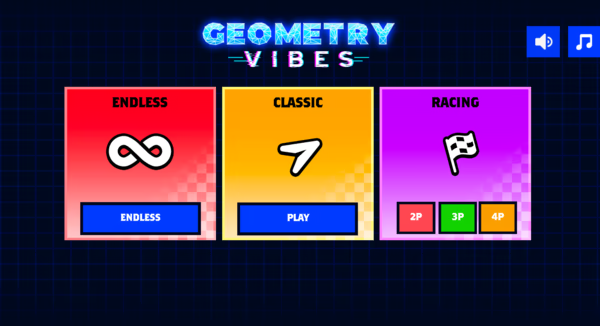
Figure 2. Three Game Modes
Frequently Asked Questions About Geometry Vibes
Is Geometry Vibes free to play?
The browser version on the official website is free to play. You can access the game through a supported browser without installing a separate desktop application.
Can you play Geometry Vibes with friends?
Yes. Race Mode supports two, three, or four players on the same computer. Each player uses an assigned control key to compete in the same race.
Is Geometry Vibes difficult for beginners?
The controls are simple, so beginners can learn the basics quickly. However, narrow paths, spikes, and increasingly challenging obstacles take practice to overcome. Starting with Classic Mode helps you get familiar with the mechanics before tackling tougher challenges.
How is Geometry Vibes different from Geometry Dash?
Both games feature geometric obstacles, eye-catching visuals, and gameplay that demands precise timing. However, Geometry Vibes focuses on controlling an arrow's height by holding and releasing a button. Geometry Dash, on the other hand, centers mainly on jumping, changing movement forms, and navigating rhythm-based levels.
Conclusion
Geometry Vibes turns a simple control system into an engaging test of reflexes, concentration, and timing. Its neon visuals, progressively challenging levels, endless survival mode, and multiplayer races offer different ways to enjoy the game. Whether you want to improve your skills or compete against friends, every run gives you another chance to get better.
If you enjoy this style of geometric arcade action, check out Geometry Dash for classic rhythm-based platforming, Geometry Dash World for shorter levels, Geometry Dash Meltdown for additional challenges, or Geometry Dash Subzero to test your reflexes in more fast-paced stages. Each game combines obstacles, rhythm, and movement in its own way, giving you more opportunities to challenge yourself.