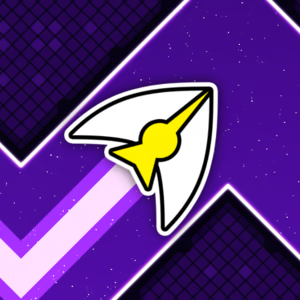
About Space Waves
Space Waves is an arcade obstacle course game where quick reflexes and precise movement control are the keys to success. You'll navigate through geometric tunnels filled with sharp spikes, tight turns, and dangerous obstacles that can end your run in an instant.
What makes Space Waves stand out is its combination of simple controls and challenging gameplay. You don't need to master a complicated control scheme, but you do need to time your upward and downward movements carefully to get through each section. Bright neon visuals and geometric shapes give the game a modern arcade vibe while keeping obstacles easy to spot, even at higher speeds.
Space Waves is a great pick for anyone who enjoys reflex-based games, especially fans of wave-style gameplay and Geometry Dash. Start with easier levels to get comfortable with the movement mechanics, then take on more complex courses as your skills improve. Every failed attempt gives you a chance to learn the layout and adjust your timing for the next run.
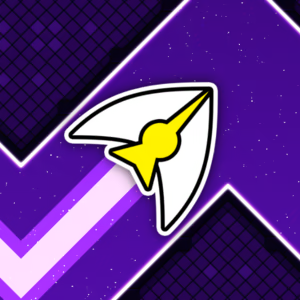
Figure 1. Discover Space Waves
Space Waves Levels and Difficulty
Level System
The popular browser version of Space Waves features 33 levels, each with its own obstacle layouts and challenges. Reaching the finish line isn't just about moving forward. You also need to adapt to the unique design of each course. Some sections offer more room to adjust your flight path, while others require quick, continuous movements to avoid spikes and dangerous corners.
Three Game Modes
- Classic Mode: Focuses on completing levels with a clear finish line. Guide your arrow through the obstacles and reach the end without crashing.
- Endless Mode: Tests how long you can survive as you keep moving and dodging obstacles. Quick reflexes and steady control are essential to lasting longer.
- Race Mode: Adds a competitive twist, challenging you to navigate the course and reach the finish line before your opponent. Stay precise to avoid crashes and keep your momentum going.
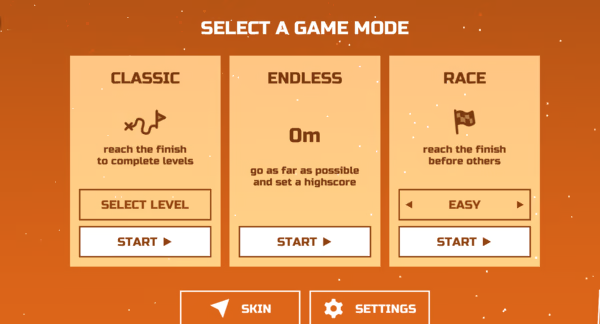
Figure 2. Three Game Modes
Difficulty Overview
Space Waves gets challenging because of its narrow paths and the precision required to control your flight. Early levels are generally easier to approach, giving you time to learn the basic controls. Harder levels feature tighter gaps between obstacles, where holding a button for too long or releasing it too late can lead to a crash.
Gameplay of Space Waves
Space Waves revolves around zigzag movement. Your arrow automatically moves forward while you control its flight path by pressing and holding or releasing the control button. Holding the button sends the arrow upward, while releasing it makes the arrow move downward. This constant change in direction creates the signature wave movement.
Along the way, you'll encounter rows of spikes, geometric walls, spinning gears, and narrow corridors. Each obstacle presents a different challenge, but the key is to maintain a safe distance and avoid sudden, excessive movements.
The level design tests how well you combine observation with precise control. Look ahead and prepare for upcoming turns instead of reacting only when an obstacle is right in front of you. As you improve, your movements will become more natural, making it easier to handle tricky sections with confidence.
How to Play Space Waves
Main Objective
Your goal in Space Waves is to guide the arrow through every obstacle and reach the finish line safely. Avoid spikes, walls, and other hazards along the way. Even a small mistake can end your run, so timing each movement is crucial.
Instead of focusing on speed alone, concentrate on keeping your flight path aligned with the open space ahead. Read the course layout and adjust your movements at the right moment to make it farther through each level.
Controls
Space Waves uses simple controls that work on both computers and mobile devices.
- W, Spacebar, Up Arrow, or Left Mouse Button: Press and hold to move the arrow upward.
- Release the control button: Move the arrow downward using the wave mechanic.
On mobile devices, tap and hold the screen to move upward, then release to move downward. The exact controls and available options may vary depending on the version you're playing.
Tips for Playing Space Waves
- Start with easier levels: Get familiar with the arrow's speed and movement before taking on harder challenges.
- Use short inputs: Avoid holding the button for too long in narrow sections to keep the arrow from rising too high.
- Look ahead: Prepare for upcoming turns and obstacles instead of focusing only on your current position.
- Learn from crashes: Remember where you hit an obstacle and adjust your timing on your next attempt.
Gameplay Video