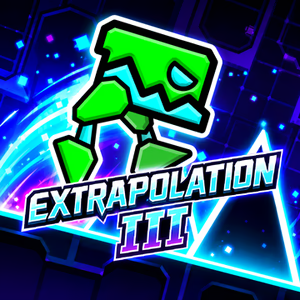
Geometry Dash Extrapolation
 Geometry Dash Scratch
 Dinosaur Game 3d
 Wave Race
 Geometry Ball: Challenge
 Geometry Dash Hyper Wave
 Two Tunnel 3d
 Geometry Dash Lite Old Version
 Geometry Dash 3D
 Subway Surfers
 Space Waves
 Geometry Dash Subzero
 Geometry Dash Bloodbath
 Geometry Dash Spam
 Geometry Dash Grief
 Geometry Dash Wave
 Geometry Dash World
 Geometry Dash Wave Challenge
 Geometry Arrow
 Geometry Dash Sonic Wave
 Geometry Vibes
 Geometry Dash Breeze
 Geometry Dash Tidal Wave
 Geometry Dash Nine Circles
 Geometry Dash Press Start
 Geometry Dash Meltdown
 Geometry Dash Demons
 Geometry Dash Retray
 Geometry Dash Suponho
 Geometry Dash Polargeist
 Geometry Dash Onward
 Another Drink Dash
 Geometry Dash Wave 3d
 Geometry Dash Spam 3D
 Geometry Dash Daily Level Dream World
 Slope 3
 Geometry Dash Deadlocked
 Geometry Dash Switch
 Geometry Dash Hairless Adventure
 Geometry Dash Slow
 Geometry Vibes 3d
 On On Dash
 No Broke Dash
 Gaminia
 Geometry Arrow 3D
 Geometry Dash Subzero 3D
 Neon Challenge Legends
 Infrunami
 Geometry Vibes Monster
 Geometry Dash Meltdown 3d
 Geometry Dash Breeze 3D
 Victory Lap Dash
 I Just Might Dash
What Is Geometry Dash Extrapolation?
Geometry Dash Extrapolation is a rhythm platformer where you guide a geometric character through dangerous obstacles with precise movements. Along the way, you'll encounter rows of spikes, gaps, portals, and various mechanics that change how you move.
What makes the game exciting is its mix of quick reflexes, memory and rhythm. Instead of controlling every step, you need to watch the path ahead and prepare for a series of challenges. Each attempt gives you a chance to learn the level layout, adjust your timing, and make it farther.
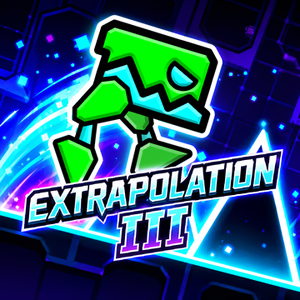
Figure 1. Every attempt in Geometry Dash Extrapolation
How to Play Geometry Dash Extrapolation
The main goal in the game is to guide your character through every obstacle and complete the level. Your character moves forward automatically, so you need to focus on when to jump, fly, or change gravity rather than controlling the direction of movement.
Controls and Basic Rules
- On a computer, you can use the left mouse button or the Space key to perform the action required by your current movement mode.
- If you're playing on a device with a touchscreen, simply tap the screen to control your character.
In Cube mode, press the button to jump over spikes and gaps. When you switch to Ship mode, hold the button to fly upward and release it to descend. Each form has its own mechanics, so pay attention to the changes as you progress through the level.
Master Different Gameplay Modes
The games can take you through several movement modes, making the journey about more than just ordinary jumps.
- Cube: Jump over obstacles and time your landings.
- Ship: Adjust your height to fly through narrow corridors.
- Ball: Reverse gravity to move between surfaces.
- Robot: Control your jumps by adjusting how long you hold the button.
- Spider: Teleport between surfaces to navigate tricky sections.
Key Features of Geometry Dash Extrapolation
Geometry Dash Extrapolation combines fast paced gameplay with challenges that test your observation skills. Obstacles appear in quick succession, while changes in gravity and character forms require you to keep adjusting your approach.
Gravity Changes and Portals
Portals play an important role throughout the game. Passing through them can change your character's form, gravity, or movement mechanics. A seemingly simple section can become more challenging when you need to switch from jumping along the ground to flying or reversing gravity.
Gravity Orbs also give you opportunities to change your trajectory when activated at the right moment. To avoid mistakes, watch the position of each portal and the obstacles immediately beyond it. Reacting too early or too late can cause a collision.
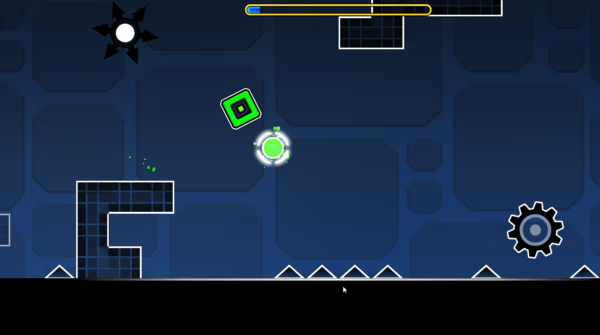
Figure 2. Gravity Changes and Portals
Fast Paced Obstacles and Rhythm
The fast pace is one of the main challenges in the game. Spikes, gears, platforms, and gaps can appear one after another, forcing you to make decisions in a short amount of time.
Music adds a sense of rhythm to the journey, but you shouldn't rely on the beat alone to overcome every obstacle. Combine what you hear with careful observation of the level layout. Once you understand the sequence of upcoming hazards, you'll find it easier to prepare your moves and maintain consistent control.
Tips to Beat Geometry Dash Extrapolation
To make it farther in game, you'll need patience and practice controlling your character. These tips can help you improve your performance:
- Look ahead: Don't focus only on your character's current position. Watch for upcoming obstacles so you can prepare your next move.
- Time your jumps: Avoid pressing too early when approaching spikes or gaps. Practice to learn the right moment to jump.
- Learn each mode: Every character form has its own controls. Take time to understand each mechanic before tackling the harder sections.
- Learn from failed attempts: Identify where you made a mistake and adjust your timing on your next try.
- Keep your movements steady: During Ship sections or areas with multiple portals, avoid rushing your inputs before you can clearly read the path ahead.
Why Play Geometry Dash Extrapolation Online?
Playing game online lets you jump straight into the challenge through your browser without installing a separate game, provided the available version supports browser play. You can quickly start a level, get familiar with the controls, and try again after each failed attempt.
The game is a great fit for anyone who enjoys reflex games, platformers, and rhythm based challenges. Simple controls make it easy to get started, while obstacle sequences and gravity changes give you plenty of reasons to keep practicing. Every difficult section you overcome brings a clear sense of progress.
Frequently Asked Questions
Is Geometry Dash Extrapolation Free to Play?
Geometry Dash Extrapolation may be available to play for free on websites that offer the browser version. However, access requirements and advertising may vary depending on the platform.
Can You Play Geometry Dash Extrapolation on Mobile?
You can play on a phone or tablet if the website offers a version compatible with mobile devices. On a touchscreen, tap to control your character and watch the obstacles carefully as you move through the level at high speed.
Is Geometry Dash Extrapolation Difficult?
Geometry Dash Extrapolation can be challenging for beginners because it requires quick reflexes, precise timing, and the ability to adapt to different movement mechanics. However, learning the level layout, practicing difficult sections, and learning from failed attempts will help you gain better control over time.