Building Geometry Dash Wave Around the Wave Mechanic
Wave is one of the signature mechanics in Geometry Dash, standing out for its continuous diagonal movement and the precision required to control its direction. Unlike the Cube, which mainly jumps over obstacles, the Wave moves upward or downward depending on whether you hold or release the control button. This difference opens the door to a gameplay style built around reflexes, anticipation, and trajectory control.
Based on this mechanic, Geometry Dash Wave is designed as an arcade experience centered on Wave movement. Instead of dividing your attention among multiple control styles, the game explores the depth of a single core mechanic. You can quickly learn how to move, but navigating narrow corridors and complex turns takes practice and smooth coordination between observation and control.
What makes this design approach stand out is its balance between accessibility and difficulty. The controls do not require you to memorize multiple buttons, yet every press and release directly affects the Wave's trajectory.
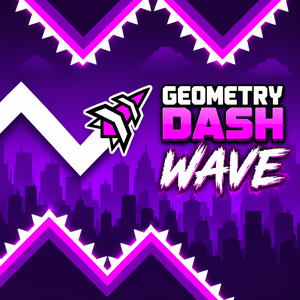
Figure 1. Discover Geometry Dash Wave
Geometry Dash Wave Gameplay
Start with the Signature Movement Mechanic
When you enter the game, your first task is to get familiar with how the character responds to your inputs. The Wave automatically moves forward, while you control its direction by holding or releasing the button. Holding it sends the character diagonally upward, while releasing it changes the direction downward.
This mechanic makes it easy to get started without a complicated tutorial. However, effective control requires you to understand that every input affects the Wave's position in the moments that follow. Instead of reacting when an obstacle is already too close, observing the path and preparing to change direction early will help you move with greater control.
Control Your Trajectory Through Narrow Paths
Once you understand the basics, the challenge increases as the Wave enters corridors with limited space. You must adjust how long you hold the button to keep the character moving in the right direction without touching dangerous surfaces. Holding too long can send the Wave into the upper boundary, while releasing too early can lead it into an unsafe area below.
Adapt to Obstacles and Sharp Turns
As you move forward, different layouts force you to adjust your control strategy. Wider sections give you room to observe and prepare, while sharp turns and narrow corridors demand more precise inputs. Spikes and geometric edges also restrict your path, making the timing of each upward or downward movement crucial.
How to Play Geometry Dash Wave
Controls
Geometry Dash Wave uses intuitive controls that let you focus on the path ahead and the timing of each direction change.
- Hold the control button: Move the Wave diagonally upward.
- Release the control button: Change direction and move diagonally downward.
- Alternate between holding and releasing: Create a zigzag path to navigate through gaps.
Tips for Playing
- Look ahead before changing direction: Watch for upcoming turns and gaps so you can prepare your next move in time.
- Adjust your inputs carefully: Use controlled presses and releases when navigating narrow corridors.
- Avoid reacting too late: Anticipate your trajectory instead of waiting until the Wave is about to hit an obstacle.
- Learn from failed attempts: Remember where you collided and adjust your timing on the next run.
Shaping the Geometric World and Levels of Geometry Dash Wave
Obstacles Set the Pace
In the game, obstacles limit your movement and determine the pace of the overall experience. Narrow corridors require steady trajectory control, spikes force you to identify safe spaces precisely, and sharp turns make it essential to prepare for direction changes.
Combining these layouts creates constant shifts in difficulty. When the path is wide, you have more time to observe and choose your direction. As the available space narrows, every input requires more careful timing. This obstacle design keeps the gameplay intense without relying entirely on speed.
Visuals Designed to Support Gameplay
The geometric art style gives this version its distinctive look while helping you recognize the path ahead. Clear outlines, sharp edges, and structured gaps make it easier to distinguish safe areas from dangerous surfaces.
Colors and contrast also improve visibility. When the character stands out against the background and obstacles remain clearly defined, you can quickly judge the Wave's position relative to its surroundings. Rather than filling the screen with distracting details, the visual design should prioritize readability and consistency across its elements.
Geometry Dash Wave vs. Space Waves
Geometry Dash Wave and Space Waves both focus on dodging obstacles through continuous movement, requiring you to combine observation with quick reflexes. Both offer controls that are easy to learn while still creating challenging situations as you navigate increasingly complex paths.
The main difference lies in how each game builds its experience. Geometry Dash Wave focuses on the Wave mechanic associated with Geometry Dash's geometric style, making zigzag trajectory control the core of its gameplay. Space Waves generally offers space-themed obstacle-dodging challenges with its own layouts and level structures, depending on the version.
If you enjoy controlling every movement and finding your way through tight geometric corridors, Geometry Dash Wave is a great choice for sharpening your precision. Space Waves, meanwhile, offers a different approach for anyone looking to explore more obstacle-dodging challenges. Both games show how a simple control mechanic can create an experience that demands focus and practice.
Jump into Geometry Dash Wave to get familiar with its movement rhythm, study the path ahead, and gradually improve your trajectory control. Every attempt gives you another chance to react more accurately, overcome difficult sections, and enjoy the satisfaction of progressing through skill alone.